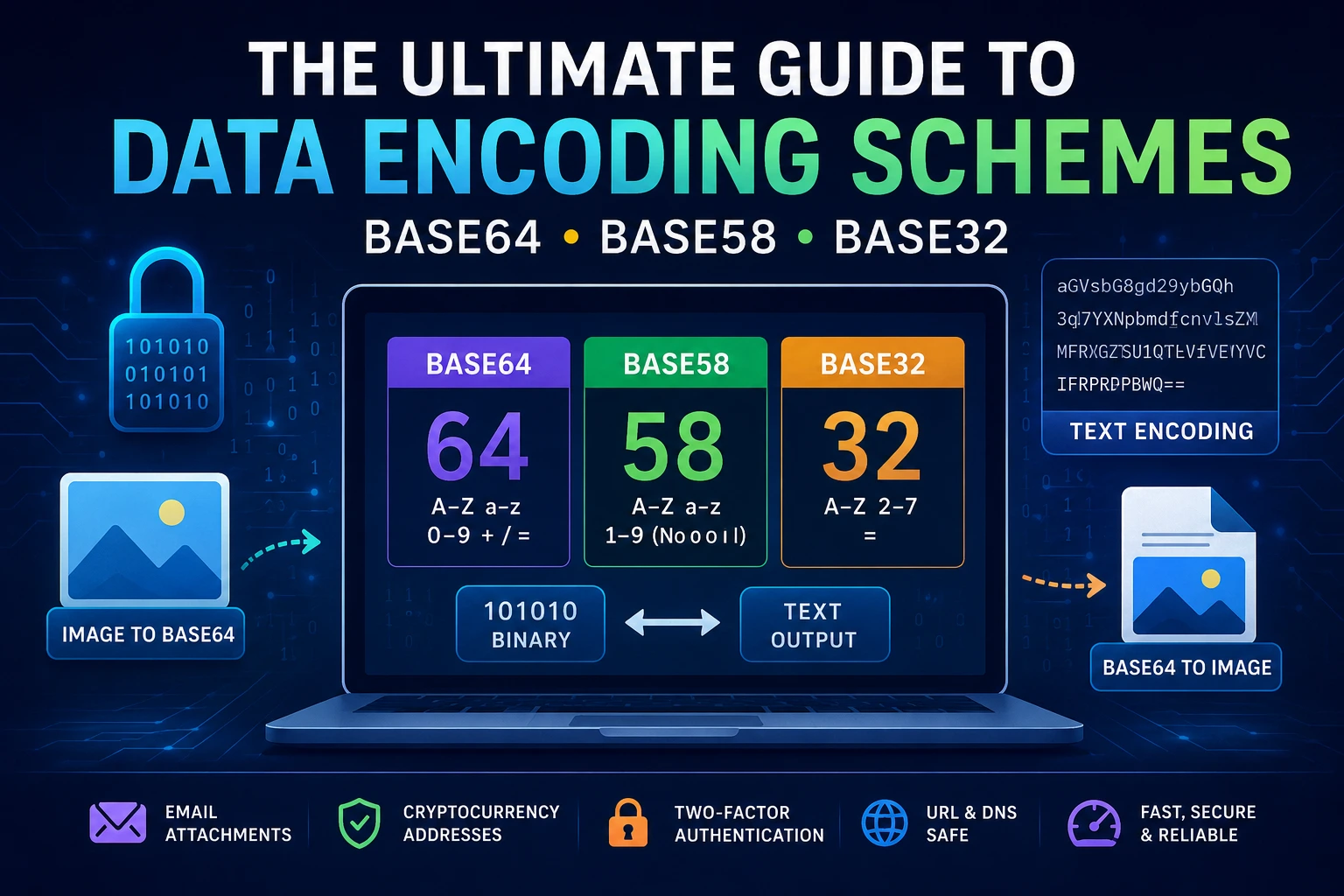
The Ultimate Guide to
Data Encoding Schemes: Understanding Base64, Base58, Base32, and Binary-to-Text
Utilities
In modern
software development, data networking, and blockchain technology, data needs to
travel across diverse and complex systems. Often, computers need to transmit
raw binary data (like images, compiled files, or cryptographic keys) over
protocols that were originally designed to handle only plain text (such as
email systems, HTTP headers, or text fields).
This is where Binary-to-Text
Encoding Schemes come into play. They ensure that data remains intact,
unaltered, and secure during transmission. In this comprehensive guide, we will
dive deep into the most popular encoding protocols—Base64, Base58, and
Base32—and explore how tools like Image-to-Base64 Converters
optimize web performance.
1. Deep Dive into Base64 Encoding &
Decoding
What is Base64?
Base64 is the
most widely recognized binary-to-text encoding scheme. It represents binary
data in a sequence of ASCII characters. The "64" in its name comes
from the base-64 mathematical system, meaning it uses a specific set of 64
unique characters to represent any given data stream.
The Character Set
Base64 uses a
safe alphabet that is highly compatible across almost all legacy systems:
- Uppercase
letters: A-Z (26 characters)
- Lowercase
letters: a-z (26
characters)
- Digits: 0-9 (10
characters)
- Special
symbols: + (plus) and / (forward
slash) (2 characters)
- Padding
character: = (used at
the end of the string if the binary data doesn't fit perfectly into 6-bit
chunks).
How Does Base64 Encoding Work?
Computers process
data in bytes (8-bit blocks). Base64 works by taking three 8-bit bytes (24 bits
total) and splitting them into four 6-bit chunks. Each 6-bit chunk has a binary
value between 0 and 63, which maps directly to one of the 64 characters in the
Base64 index table.
|
Step |
Data Breakdown |
Data Breakdown |
Data Breakdown |
Data Breakdown |
|
1. Binary Input (3 Bytes) |
[ 8 - b i t s ] |
[ 8 - b i t s ] |
[ 8 - b i t s ] |
(Total: 24 bits) |
|
2. Split into 4 Chunks |
[ 6 - b i t s ] |
[ 6 - b i t s ] |
[ 6 - b i t s ] |
[ 6 - b i t s ] |
|
3. Base64 Output |
Character 1 |
Character 2 |
Character 3 |
Character 4 |
Because 3 bytes
of raw data become 4 bytes of encoded text, Base64 increases the data size by
roughly 33.3%.
Base64 Decoding
The decoder
reverses this math. It reads four ASCII characters, looks up their 6-bit binary
values in the index table, stitches the 24 bits back together, and outputs the
original 3 bytes of binary data.
Primary Use Cases:
- Email
Attachments (MIME):
Email systems were built for 7-bit text. Base64 encodes files so they
don't break during transmission.
- Data
Embedding:
Embedding images or fonts directly inside HTML and CSS files.
- API Data
Transfer:
Sending authentication tokens (like Basic Auth headers) safely through
HTTP requests.
2. Deep Dive into Base58 Encoding &
Decoding
What is Base58?
Base58 is a
highly specialized encoding scheme popularized by Satoshi Nakamoto when
creating Bitcoin. It was specifically engineered for human readability and high
security in data entry, making it the gold standard for cryptocurrencies.
The Problem with Base64 in Crypto
In Base64,
certain characters look identical depending on the font style:
- 0 (Zero) and O (Capital O)
- I (Capital I)
and l (Lowercase
L)
If a user copies
a crypto wallet address manually and mistakes an I for an l, the funds could be permanently lost.
Furthermore, Base64 includes punctuation marks like + and /, which can cause automated text selection
tools to break or misinterpret the line.
The Base58 Solution
Base58 strips
away all confusing characters and symbols. Its alphabet consists of:
- A-Z (excluding I and O)
- a-z (excluding l)
- 1-9 (excluding 0)
How Base58 Encoding Works
Unlike Base64,
which breaks data into clean bit-sized chunks, Base58 treats the entire binary
string as one massive number. It performs continuous long division by 58. The
remainders of these divisions are mapped directly to the Base58 character
alphabet until the calculation is complete. This makes Base58 more
computationally intensive but incredibly safe.
Primary Use Cases:
- Bitcoin
& Cryptocurrency Addresses: Ensuring user-facing public keys are
easy to type and copy without errors.
- IPFS
(InterPlanetary File System): Generating distinct, human-readable
content identifiers (CIDs).
- Flickr Short
URLs:
Compressing long database IDs into short, clean web links.
3. Deep Dive into Base32 Encoding &
Decoding
What is Base32?
Base32 is a
binary-to-text encoding scheme that uses a 32-character alphabet. It balances
the high compatibility of Base64 with the human-friendly nature of Base58.
The Character Set (RFC 4648)
The standard
Base32 alphabet uses:
- Uppercase
letters: A-Z
- Digits: 2-7
- Padding
character: =
It deliberately
excludes digits 0, 1, and 8 to eliminate visual confusion with letters
like O, I, and B.
Key Technical Properties:
- Case-Insensitivity: Because it
only uses a single case (typically uppercase), it doesn't matter if a
system converts the text to lowercase. The data will decode perfectly
either way.
- DNS &
File System Safe:
Base32 does not use symbols like / or +, making it completely safe to use in web
URLs, domain names, and file names without requiring URL encoding.
- Data
Overhead:
Since it splits data into 5-bit chunks instead of Base64's 6-bit chunks,
Base32 increases the final data size by roughly 60%.
Primary Use Cases:
- Two-Factor
Authentication (2FA):
Google Authenticator, Authy, and other TOTP systems use Base32 to encode
the secret setup key that you scan via a QR code.
- Tor Onion
Routing:
Deep web addresses (.onion domains)
are encoded using Base32.
- Legacy
Systems:
Mainframes or older database architectures that cannot process mixed-case
strings.
4. Image to Base64 and Base64 to Image
Utilities
Beyond
translating text formats, web developers frequently interact with tools
designed to convert raw files into string sequences and vice-versa.
Image to Base64 Converter
An
Image-to-Base64 converter reads a local image file (like a .png, .jpg, or .webp) and translates its raw binary layout into a
long string of standard Base64 characters.
Instead of
hosting an image on a separate server and pointing to it via a URL (<img src="image.png">), developers can insert the raw data
string directly into their code using a Data URI:
HTML
<img src="data:image/png;base64,iVBORw0KGgoAAAANSUhEUgAA..."
/>
Advantages for Web Performance:
- Fewer HTTP
Requests:
The browser doesn't need to make a separate server request to download the
image. It loads instantly with the HTML file.
- No Broken
Links:
Since the image is literally written inside the code, it can never suffer
from a missing or broken file path.
- Perfect for
Small Icons:
Ideal for micro-assets like logos, UI icons, and custom cursors.
Base64 to Image Converter
The reverse tool
takes an existing Base64 text string, translates it back into raw binary bytes,
assigns the correct image file extension, and renders it as a downloadable
graphic file. This tool is a lifesaver for developers debugging broken API
payloads or extracting visual assets from serialized database records.
Why Bookmark Our Multi-Tool Website?
Managing diverse
workflows shouldn't require installing bulky software or running complex
terminal scripts. Our website acts as a centralized toolkit for your daily data
translation needs.
- Serverless
Privacy:
All conversions happen locally within your web browser. Your sensitive
cryptographic keys, text inputs, and personal images are never uploaded to
our servers.
- Lightweight
& Lightning Fast:
Optimized scripts ensure instantly generated results with zero latency.
- Universal
Responsive Design:
Whether you are writing a script on your laptop, managing an authentication
issue on a tablet, or checking a crypto address on your smartphone, our
dashboard scales perfectly to fit your layout.
Ready to Speed Up Your Development Workflow?
Explore our web
utilities today. Toggle effortlessly between Base64, Base58, and Base32
encoders, or clean up your site’s assets with our automated Image-to-Base64
converters.